

How to Prepare for a Remote Job Interview
Last Updated • 26 August 2026
Getting invited to an interview is a major step in your remote job search. But for remote work jobs, preparing your answers is only part of the process.
A remote interview also tests how well you communicate online, handle technology, present yourself on camera, and prepare your environment. Microsoft’s virtual interview guidance, for example, recommends testing the interview platform, camera, microphone, internet connection, and headphones before the interview.
Whether you're applying for your first
remote work from home jobs
or looking for your next career opportunity, preparation can help you feel more confident and avoid unnecessary mistakes.
This guide explains how to prepare for a remote job interview and make a strong impression.
01. Research the Company and the Role
Before the interview, take time to understand the company and the position you are applying for.
Review:
- The company website
- The job description
- The company's products or services
- Its mission and values
- The skills required for the role
- The team or industry you may be working in
The goal is not to memorize the company's entire history.
You should understand enough to explain why you are interested in the opportunity and how your skills relate to the role.
The U.S. Department of Labor recommends researching the position and organization and reviewing the job requirements before an interview.
02. Prepare Your Introduction
One of the most common interview questions is:
“Tell me about yourself.”
Prepare a short introduction instead of trying to create an answer on the spot.
A simple structure is:
Who you are → What you do → Relevant experience → What you're looking for
For example:
“I'm a digital designer with experience in branding and user-focused design. I've worked on projects involving visual identity, websites, and digital products. I'm currently looking for a remote opportunity where I can contribute to a collaborative team and continue developing my skills.”
Keep your introduction natural.
You are starting a conversation, not delivering a speech.
03. Prepare Examples From Your Experience
Interviewers often want examples that show how you handled real situations.
Think about projects where you:
- Solved a difficult problem
- Worked with a team
- Managed a deadline
- Handled feedback
- Made a mistake and learned from it
- Took responsibility for a project
- Worked independently
- Managed multiple priorities
A useful structure for answering these questions is the STAR method :
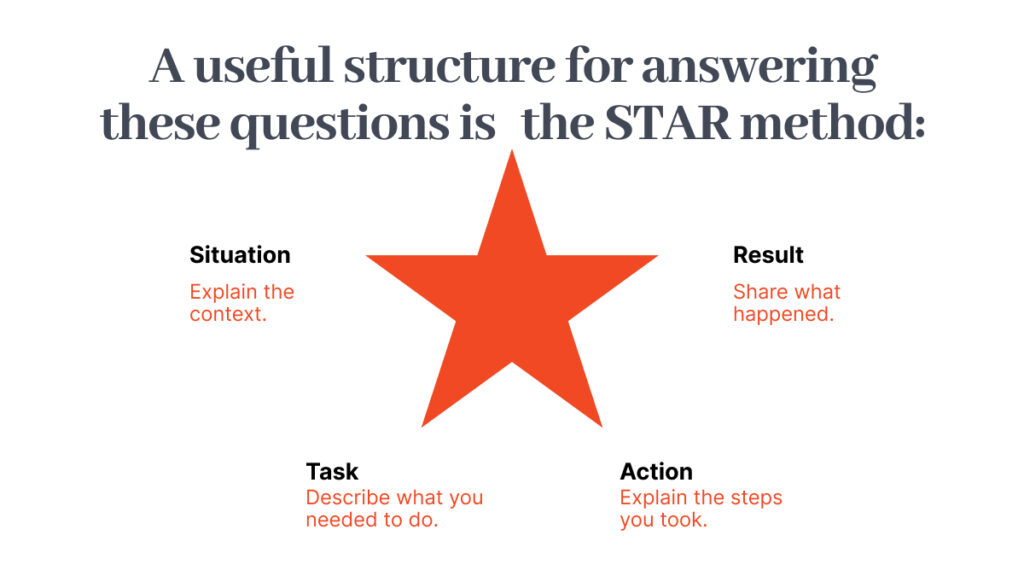
Situation
Explain the context.
Task
Describe what you needed to do.
Action
Explain the steps you took.
Result
Share what happened.
Microsoft also recommends structured responses such as STAR(R) when discussing experience and accomplishments.
Preparing examples in advance can make your answers clearer without making them sound rehearsed.
04. Practice Common Interview Questions
You do not need to memorize answers word for word.
Instead, practice the key points you want to communicate.
Common questions include:
- Tell me about yourself.
- Why do you want this job?
- Why do you want to work for this company?
- What are your strengths?
- What is a challenge you have faced?
- Tell me about a time you solved a problem.
- How do you manage your time?
- How do you handle feedback?
- How do you work with a remote team?
- How do you stay productive when working from home?
Practice speaking your answers out loud.
This can help you notice when an answer is too long, unclear, or overly rehearsed.
05. Test Your Technology Before the Interview
Before the interview, test:
- Your internet connection
- Webcam
- Microphone
- Headphones
- Laptop battery
- Meeting platform
- Login details
If the interview is on a platform you have never used before, install and test it in advance.
It can also help to do a practice call with a friend.
Remote interview guidance from government career services similarly recommends testing your camera, audio, internet, lighting, and interview platform before the meeting.
06. Create a Professional Interview Environment
Your background does not need to look like a corporate office.
It should simply be clean, quiet, and free from unnecessary distractions.
Try to find:
- A quiet space
- Good lighting
- A clean background
- A comfortable chair
- Stable internet
Before the interview:
- Put your phone on silent
- Close unnecessary browser tabs
- Turn off notifications
- Inform people around you that you are in an interview
- Keep your workspace organized
A quiet, well-lit environment helps the interviewer focus on what you are saying rather than what is happening around you.
07. Pay Attention to Lighting and Camera Position
Good lighting can make a significant difference during a video interview.
Try to position yourself facing a natural light source or a soft light.
Avoid sitting directly in front of a bright window, which can make your face difficult to see.
Position your camera at approximately eye level.
You should be comfortably visible without sitting too close or too far away from the camera.
Before the interview, open your camera and check how you appear on screen.
08. Dress Professionally
A remote interview is still a professional interview.
Choose clothing that is appropriate for the role and company.
You do not necessarily need formal business attire for every remote position, but you should look clean, prepared, and professional.
When in doubt, choose something simple and appropriate.
Your appearance should not distract from the conversation.
09. Keep Important Information Nearby
One advantage of a remote interview is that you can keep useful information close to you.
Have nearby:
- Your resume
- The job description
- Your portfolio
- Notes about the company
- Questions for the interviewer
However, avoid reading from a script.
Keep short notes that help you remember important points.
If you constantly look away from the camera or read long paragraphs, the conversation may feel unnatural.
10. Prepare Questions to Ask the Interviewer
At the end of the interview, you will often be asked:
“Do you have any questions for us?”
Do not automatically say no.
Prepare two or three thoughtful questions.
For example:
- What does success look like in this role during the first few months?
- How does the team usually communicate while working remotely?
- What are some of the biggest challenges someone in this role may face?
- How is feedback typically shared within the team?
- What are the next steps in the hiring process?
Thoughtful questions can demonstrate genuine interest in the role and help you decide whether the opportunity is right for you.
11. Demonstrate That You Can Work Remotely
When interviewing for a remote position, employers may want to understand how you work without direct in-person supervision.
Be ready to discuss:
- How you manage your time
- How you prioritize tasks
- How you communicate with teammates
- How you stay organized
- How you ask for help
- How you handle feedback
- How you manage deadlines
Use real examples whenever possible.
For example, instead of saying:
“I'm good at working independently.”
Explain a real situation:
“While working on a project with a distributed team, I organized my tasks using a project board, shared progress updates, and communicated early when I needed feedback.”
Specific examples are more convincing than general statements.
12. Be Aware of Your Body Language
Body language still matters on a video call.
Try to:
- Sit comfortably and maintain good posture
- Look toward the camera regularly
- Smile naturally
- Avoid appearing distracted
- Listen carefully before answering
- Speak clearly
You do not need to stare at the camera throughout the entire interview.
The goal is to remain engaged and present.
13. Join the Interview Early
Do not wait until the exact interview time to open the meeting link.
Join a few minutes early so you can:
- Check your connection
- Confirm your camera and microphone
- Review your notes
- Relax before the conversation starts
This gives you time to solve small technical problems without feeling rushed.
14. Have a Backup Plan
Even with preparation, technology can fail.
Have a backup plan ready.
Keep:
- Your phone charged
- The interviewer's contact information available
- Your internet backup ready if possible
- Important documents saved locally
If something goes wrong, stay calm and communicate clearly.
A technical issue does not automatically create a bad impression.
How you handle the problem also shows your ability to stay professional under pressure.
15. Follow Up After the Interview
After the interview, send a short and professional thank-you message.
You can thank the interviewer for their time and briefly reinforce your interest in the opportunity.
For example:
Thank you for taking the time to speak with me today. I enjoyed learning more about the role and the team. Our conversation increased my interest in the opportunity, and I appreciate the chance to discuss how my experience could contribute to the position.
Keep the message short.
You do not need to repeat your entire interview.
Remote Job Interview Checklist
Before your interview, check:
Preparation
- Research the company
- Review the job description
- Prepare your introduction
- Practice common questions
- Prepare real examples from your experience
- Prepare questions to ask
Technology
- Test your internet
- Test your camera
- Test your microphone
- Install the interview platform
- Charge your laptop
- Prepare a backup option
Environment
- Choose a quiet location
- Check your lighting
- Clean your background
- Turn off notifications
- Keep important documents nearby
Final Thoughts
Preparing for a remote job interview is about more than getting the right answers.
You are also showing the employer how you communicate, organize yourself, handle technology, and present yourself in a remote environment.
Research the company. Practice your answers. Test your equipment. Prepare your workspace. Stay calm.
For competitive remote work jobs, small details can make a meaningful difference.
The goal is not to appear perfect.
The goal is to appear prepared, capable, and ready to work.

About the Author
Abdul Rehman — Co-Founder & Technical Director, Coding Professors
Abdul Rehman is a web designer and engineer with 3+ years of experience in high-end web design and development. As Co-Founder of Coding Professors, he focuses on making technology careers more accessible through practical guidance, mentorship, and industry-focused resources.