

How to Set Up a Productive Work From Home Workspace
Last Updated • 29 August 2026
A productive workspace can make a big difference when starting a remote career. While
remote work from home jobs
offer flexibility, working from home also comes with distractions, comfort, and the challenge of separating work from personal life.
The good news is that you do not need an expensive home office to work effectively.
A productive workspace can be created with a few essential tools, a comfortable setup, and habits that help you focus.
Whether you are applying for remote work jobs, preparing for your first remote position, or already working from home, this guide will help you create a workspace that supports productivity.
01. Choose a Dedicated Workspace
You do not need a separate office to create a productive work environment.
A dedicated corner, desk, or table can work well.
The important thing is to create a space that your brain begins to associate with work.
Try to choose a location that is:
- Relatively quiet
- Comfortable
- Well-lit
- Away from unnecessary distractions
- Large enough for your essential equipment
Working from the same location regularly can help create a stronger routine.
If possible, avoid working from your bed every day. Keeping your workspace separate from your rest area can help create clearer boundaries.
02. Invest in a Comfortable Chair
If you work remotely, you may spend several hours sitting at your desk.
Comfort should be a priority.
Look for a chair that supports your back and allows you to sit comfortably for extended periods.
You do not need the most expensive office chair available.
The goal is to find a setup that allows you to maintain a comfortable posture.
If you cannot purchase a new chair immediately, you can improve your existing setup with simple adjustments.
Try to:
- Sit with your feet supported
- Keep your back comfortable
- Avoid leaning forward for long periods
- Adjust your chair height if possible
Small improvements can make your workday more comfortable.
03. Position Your Screen Properly
Your screen should be positioned so you can view it comfortably without constantly bending your neck.
Try to keep your screen at a comfortable height and distance.
If you use a laptop, consider using:
- A laptop stand
- A monitor riser
- A stable stack of books
- An external keyboard and mouse
The goal is to create a more comfortable working position.
Test your setup and make adjustments based on how you feel throughout the day.
04. Make Sure You Have Reliable Internet
A stable internet connection is one of the most important requirements for many remote work jobs.
You may need to:
- Join video meetings
- Upload large files
- Communicate with your team
- Access cloud-based tools
- Share your screen
- Work with online platforms
Before starting a remote role, test your connection in your workspace.
If your internet is unreliable, consider having a backup plan when possible.
This could include:
- Mobile data
- A backup connection
- Access to another secure workspace
- Downloading important files before a potential interruption
Planning ahead can reduce stress during important meetings or deadlines.
05. Improve Your Lighting
Good lighting can improve both focus and your appearance during video meetings.
Natural light can be helpful during the day.
Try to position your desk where you can benefit from comfortable lighting without creating excessive screen glare.
For video calls, make sure your face is visible.
Avoid sitting directly in front of a bright window if it makes you appear too dark on camera.
A simple desk lamp can also improve your workspace.
You do not need professional studio lighting.
You simply need enough light to work comfortably and communicate clearly.
06. Reduce Unnecessary Noise
Noise can make it difficult to focus and communicate during meetings.
If you live in a busy environment, try to reduce distractions where possible.
You can:
- Close doors or windows during important calls
- Use headphones with a microphone
- Inform people around you about meetings
- Schedule focused work during quieter hours
- Keep background noise to a minimum
You cannot always control your environment.
The goal is to prepare for situations you can control.
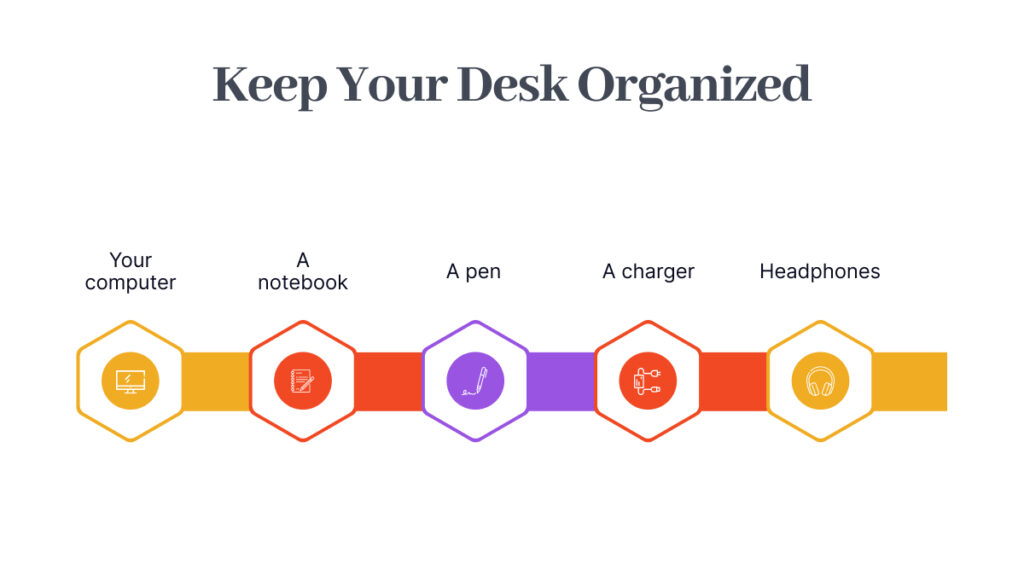
07. Keep Your Desk Organized
A cluttered desk does not automatically mean you cannot be productive.
However, unnecessary clutter can make it harder to find important items and may create distractions.
Keep your workspace focused on what you actually need.
Consider having:
- Your computer
- A notebook
- A pen
- A charger
- Headphones
- Water
Create a simple system for documents, cables, and accessories.
You do not need a perfectly styled desk.
You need a workspace that helps you work without unnecessary friction.
08. Use the Right Tools
Your equipment depends on the type of work you do.
Basic tools for many remote work from home jobs may include:
- Laptop or desktop computer
- Reliable internet connection
- Webcam
- Microphone or headphones
- Charger
- Backup storage
Depending on your role, you may also need:
- A second monitor
- Drawing tablet
- External hard drive
- Specialized software
- Professional camera or audio equipment
Focus on your essential requirements first.
You can upgrade your setup as your career grows.
09. Create a Daily Work Routine
A workspace becomes more effective when it is supported by a routine.
Start by deciding:
- When your workday begins
- When you take breaks
- When you check messages
- When you focus on deep work
- When your workday ends
You do not need to follow a rigid schedule every day.
But having a general structure can help you avoid feeling lost or distracted.
A simple routine could look like:
Morning:
Review priorities and start important tasks.
Midday:
Take a break and check progress.
Afternoon:
Complete remaining tasks and prepare updates.
End of day:
Organize your workspace and plan tomorrow.
10. Reduce Digital Distractions
Your physical workspace is only one part of productivity.
Digital distractions can also interrupt your focus.
Common distractions include:
- Social media
- Personal messages
- Notifications
- Unnecessary browser tabs
- Entertainment websites
Try to create periods of focused work.
You can:
- Silence unnecessary notifications
- Close unrelated tabs
- Put your phone away
- Use focus modes
- Schedule time for checking messages
You do not need to remove every distraction forever.
The goal is to protect time for important work.
11. Separate Work From Personal Life
One of the biggest challenges of remote work is knowing when the workday is over.
Without commuting, leaving an office, or changing environments, work can easily continue into your personal time.
Create a clear ending routine.
For example:
- Complete your final tasks
- Update your task list
- Close work applications
- Turn off notifications
- Leave your workspace
These small actions can signal the end of the workday.
If you use the same room for work and personal activities, simply putting away your laptop can help create separation.
12. Prepare for Video Meetings
Video calls are common in remote work jobs.
Keep your meeting setup ready.
Before an important call:
- Check your internet connection
- Test your microphone
- Check your camera
- Review your background
- Charge your device
- Close unnecessary applications
Keep headphones nearby so you are not searching for them minutes before a meeting.
A little preparation can make online meetings feel more professional.
13. Add Elements That Help You Focus
Your workspace does not need to feel boring.
You can personalize it with things that help you feel comfortable and focused.
For example:
- A plant
- A simple piece of artwork
- A notebook
- A motivational reminder
- A desk organizer
Avoid adding so many items that the workspace becomes distracting.
Keep your environment personal but functional.
14. Build a Backup Plan
Technical problems can happen unexpectedly.
Prepare for:
- Internet interruptions
- Power outages
- Device problems
- Software issues
When possible, have:
- Important files backed up
- Your charger available
- Mobile internet access
- Cloud storage
- A secondary place to work if necessary
You may never need your backup plan.
But knowing it exists can make unexpected problems easier to manage.
15. Upgrade Your Workspace Over Time
You do not need to build the perfect workspace on day one.
Start with the essentials:
1. Reliable computer
2. Stable internet
3. Comfortable seating
4. Good lighting
5. Clear workspace
As your needs and budget grow, you can improve your setup.
For example:
First upgrade: Better chair.
Second upgrade: External monitor.
Third upgrade: Better headphones or microphone.
Build your workspace around the work you actually do.
Work From Home Setup Checklist
Before starting a remote role, check:
- Dedicated workspace
- Comfortable chair
- Reliable computer
- Stable internet
- Webcam and microphone
- Comfortable screen position
- Good lighting
- Headphones available
- Organized desk
- Backup plan for important work
- Daily routine
- Clear work-life boundaries
Final Thoughts
A productive workspace does not need to be expensive, large, or perfectly designed.
The best workspace is one that helps you focus, communicate, and complete your work comfortably.
For people exploring
remote work jobs
, preparing your home setup before you get hired can also give you more
confidence during interviews.
Start with what you have.
Improve what matters most.
And create a workspace that supports not only your productivity but also your long-term remote career.
For more guidance on preparing for remote opportunities, explore career resources and technology-focused learning through
CodingProfessors.

About the Author
Abdul Rehman — Co-Founder & Technical Director, Coding Professors
Abdul Rehman is a web designer and engineer with 3+ years of experience in high-end web design and development. As Co-Founder of Coding Professors, he focuses on making technology careers more accessible through practical guidance, mentorship, and industry-focused resources.